
Creating your schedule is a great start, but optimizing how you share it is just as important! We’ve put together a guide to help you broadcast your stream schedule as effectively as possible.
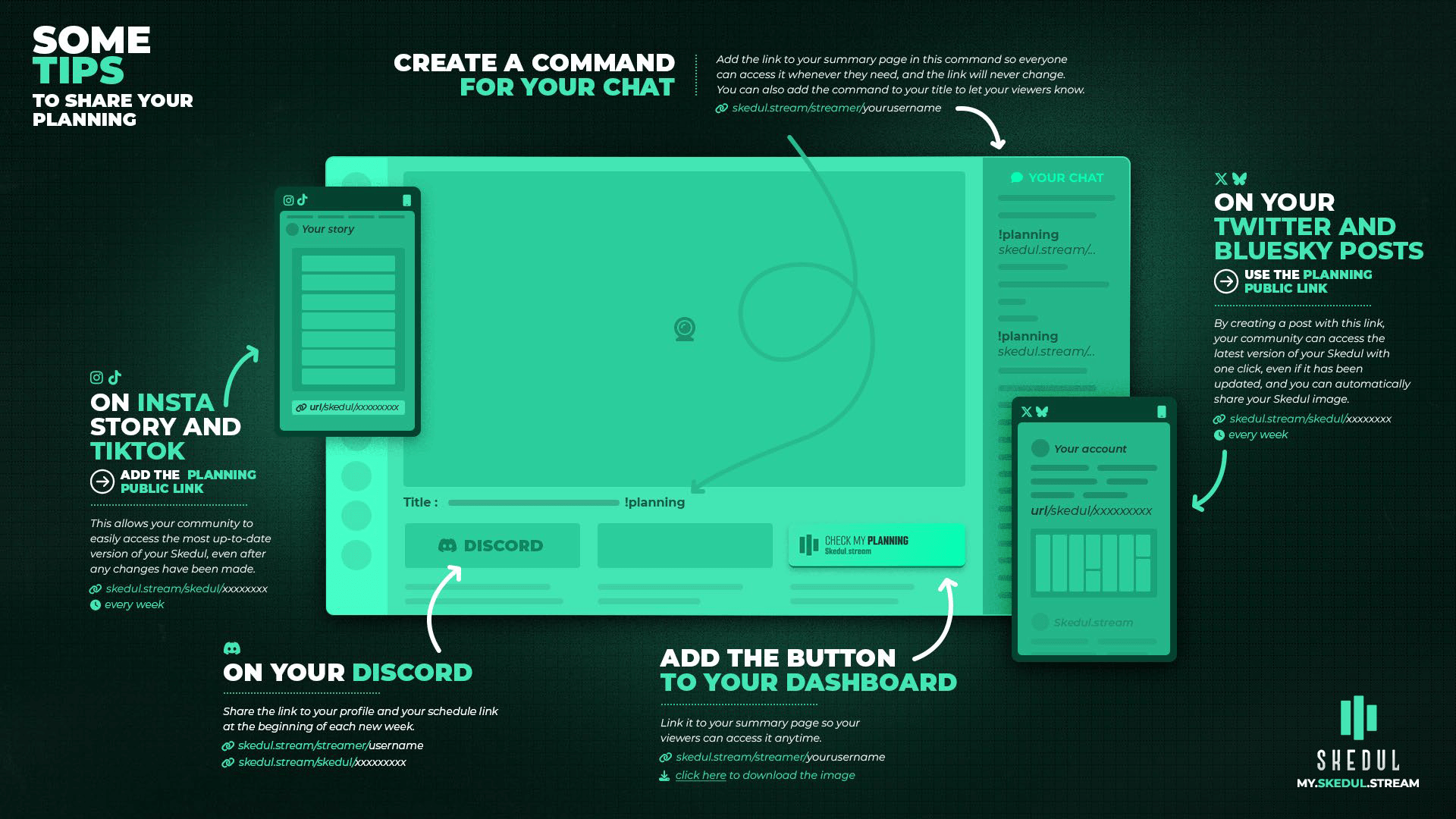
For Instagram and TikTok: Export the mobile version image and share it to your Stories.
For Twitter (X) and Bluesky: Use your public schedule link to provide a page that is accessible 24/7 and always up to date. You can find this link on your schedule’s sharing screen; it will look like:
https://skedul.stream/streamer/username/xxxxxxxFor your Lives: Create a command with the CURRENT link to your schedule. This will provide a direct link to your schedule for the current week. The link is:
https://skedul.stream/streamer/YOURUSERNAME/currentFor Twitch (when offline): Add a panel under your stream that also redirects to your CURRENT schedule.
For Discord: You can use your public schedule link every week; a preview thumbnail will be automatically generated!